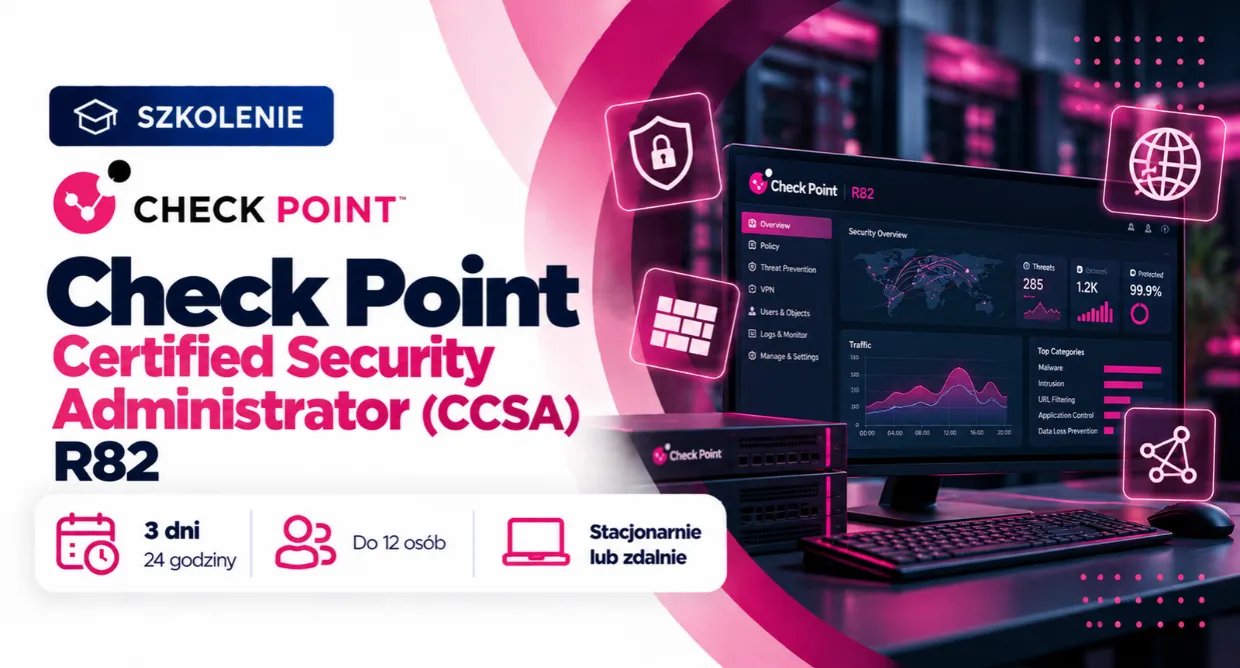














Check Point Certified Security Administrator (CCSA) R82
Ten kurs zapewnia uczestnikom podstawową wiedzę, umiejętności oraz praktyczne doświadczenie niezbędne do konfigurowania, zarządzania i monitorowania istniejącego środowiska Quantum Security. Uczestnicy nauczą się, jak uzyskiwać dostęp do portalu Gaia i interfejsu wiersza poleceń Gaia (CLI) oraz jak się po nich poruszać, zarządzać dostępem administratorów, tworzyć i konfigurować obiekty sieciowe, tworzyć nowe polityki bezpieczeństwa, konfigurować warstwy uporządkowane (Ordered Layers) oraz współdzieloną warstwę inline (Shared Inline Layer), rozszerzać widok ruchu i monitorować stany systemu, konfigurować Identity Awareness, podnosić poziom bezpieczeństwa dzięki inspekcji HTTPS, konfigurować Application Control i URL Filtering oraz konfigurować Autonomous Threat Prevention.
• Systemy operacyjne typu Unix i/lub Windows
• Podstawy Internetu
• Podstawy sieci komputerowych
• Bezpieczeństwo sieci
• Administracja systemami
• Sieci TCP/IP
4 590 zł netto
Ukończyło: 85 osób
Akceptujemy formy płatności: PayU, Faktura pro-forma, Faktura VAT po szkoleniu
Rozłóż na raty z
Czego się nauczysz?
Rozumieć architekturę Check Point Quantum Security oraz współpracę jej kluczowych komponentów
Poruszać się po środowisku Gaia i korzystać z narzędzia SmartConsole
Zarządzać kontami administratorów, rolami oraz sesjami administracyjnymi
Stosować warstwy polityk (Ordered Layers i Inline Layers) w celu skuteczniejszej kontroli ruchu sieciowego
Budować, konfigurować, testować i wdrażać polityki bezpieczeństwa
Tworzyć, modyfikować i zarządzać obiektami sieciowymi oraz usługami w SmartConsole
Zakres szkolenia
Pobierz zakres w PDF• Identify the primary components of the Check Point Three-Tier Architecture and explain how they work together in the Check Point environment.
Lab Tasks
• Explore Gaia on the Security Management Server
• Explore Gaia on the Dedicated Log Server
• Explore Gaia on the Security Gateway Cluster Members
• Connect to SmartConsole
• Navigate GATEWAYS & SERVERS Views
• Navigate SECURITY POLICIES Views
• Navigate LOGS & EVENTS Views
• Navigate MANAGE & SETTINGS Views
• Explain the purpose of SmartConsole administrator accounts.
• Identify useful features for administrator collaboration, such as session management, concurrent administration, and concurrent policy installation.
Lab Tasks
• Create New Administrators and Assign Profiles
• Test Administrator Profile Assignments
• Manage Concurrent Administrator Sessions
• Take Over Another Session and Verify Session Status
• Explain the purpose of SmartConsole Objects.
• Give examples of SmartConsole Physical and Logical Objects.
Lab Tasks
• View and Modify GATEWAYS & SERVERS Objects
• View and Modify Network Objects
• View and Modify Service Objects
• Explain the purpose of Security Policies.
• Identify the essential elements of a Security Policy.
• Identify features and capabilities that enhance the configuration and management of the Security Policy.
Lab Tasks
• Verify the Security Policy
• Modify Security Policies
• Install the Standard Security Policy
• Test the Security Policy
• Demonstrate an understanding of the Check Point policy layer concept.
• Explain how policy layers affect traffic inspection.
Lab Tasks
• Add an Ordered Layer
• Configure and Deploy the Ordered Layer Rules
• Test the Ordered Layer Policy
• Create an Inline DMZ Layer
• Test the Inline DMZ Layer
• Explain the purpose of Security Operations Monitoring.
• Tune the Log Server configuration.
• Use predefined and custom queries to filter the logging results.
• Monitor the state of Check Point systems.
Lab Tasks
• Configure Log Management
• Enhance Rulebase View, Rules, and Logging
• Review Logs and Search for Data
• Configure the Monitoring Blade
• Monitor the Status of the Systems
• Explain the purpose of the Identity Awareness solution.
• Identify the essential elements of Identity Awareness.
Lab Tasks
• Adjust the Security Policy for Identity Awareness
• Configure the Identity Collector
• Define the User Access Role
• Test Identity Awareness
• Explain the purpose of the HTTPS Inspection solution.
• Identify the essential elements of HTTPS Inspection.
Lab Tasks
• Enable HTTPS Inspection
• Adjust Access Control Rules
• Deploy the Security Gateway Certificate
• Test and Analyze Policy with HTTPS Inspection
• Explain the purpose of the Application Control and URL Filtering solutions.
• Identify the essential elements of Application Control and URL Filtering.
Lab Tasks
• Adjust the Access Control Policy
• Create and Adjust Application Control and URL
• Test and Adjust the Application Control and URL Filtering Rules
• Explain the purpose of the Threat Prevention solution.
• Identify the essential elements of Autonomous Threat Prevention.
Lab Tasks
• Enable Autonomous Threat Prevention
• Test Autonomous Threat Prevention
Opinie firm i użytkowników
Co otrzymujesz w cenie?
24 godzin nauki
Szkolenie trwa 3 dni. Szczegółowe informacje otrzymasz od nas ok. tygodnia przed szkoleniem.
Certyfikat ukończenia szkolenia
Certyfikat sygnowany przez producenta
Potwierdzenie LinkedIn
Po ukończonym szkolenia potwierdzimy Twoją znajomość programu na LinkedIn
Zdalny dostęp do labów
Możliwość wykonywania ćwiczenia w dowolnym miejscu i czasie
90-dniową opiekę mentorską
Nie zostaniesz po szkoleniu sam!
Wykwalifikowani prowadzący
Pracujemy tylko z najlepszymi trenerami.
Przyjazna atmosfera szkoleń
Czyli taka, w której łatwo zdobywać wiedzę.
Termin
Sprawdź nasz blog
Deep Learning z PyTorch – dlaczego stał się standardem w projektach AI i Machine Learning?
Blog Imperium Szkoleniowego
Bądź na bieżąco z naszym blogiem